 Cliperino
Save it
Cliperino records in the background without you noticing. When something good happens, press Ctrl + Alt + F10 and the last few seconds land as an .mp4 in your clips folder.










- Dota 2
- PUBG








Any game
If it's on your screen, Cliperino records it. Competitive, with friends or on your own.



















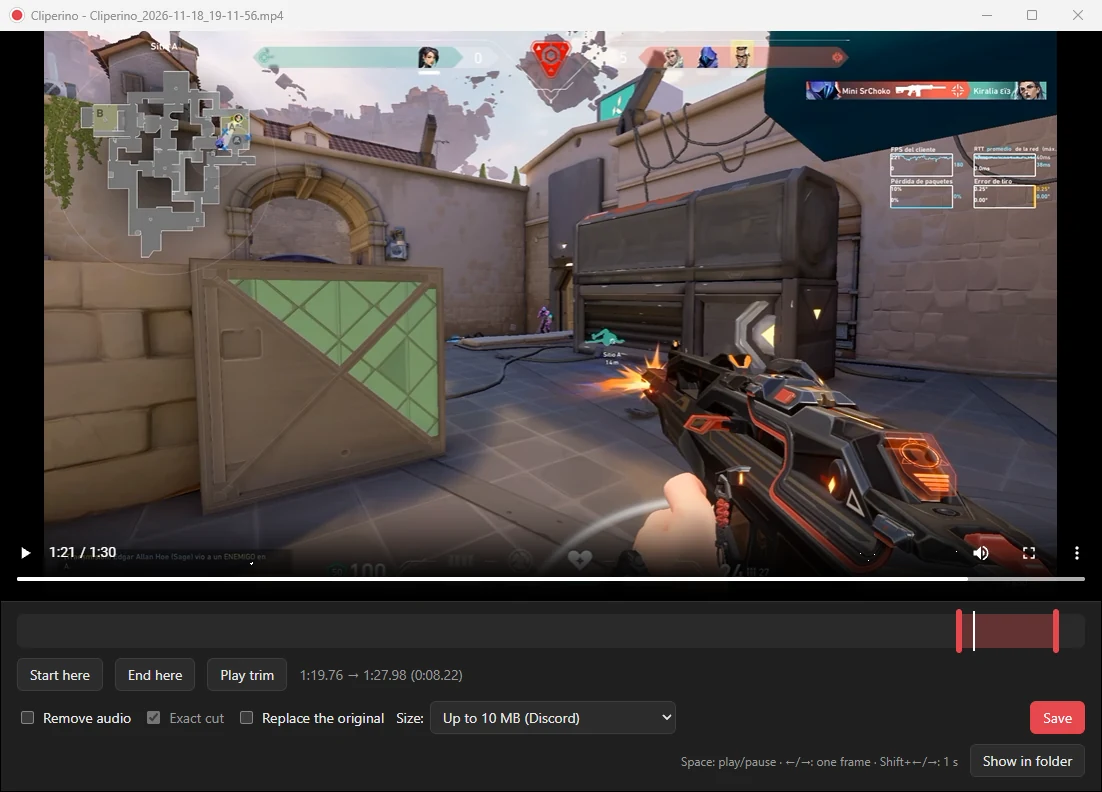
Trim it
Click the notice and the editor opens: mark the start and the end, drop your voice or all the audio, and if it's going to Discord, pick the size.
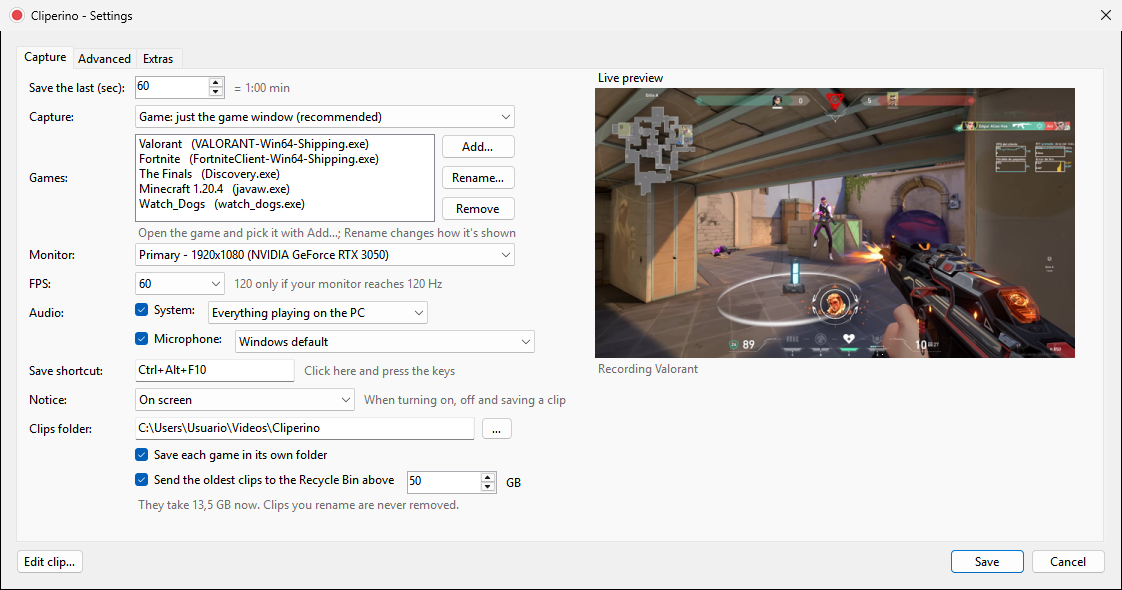
Your way
Choose between just the game window or the whole screen, which audio and which shortcut. The live preview shows how it'll look before you save anything.
And also
Any GPU, or even none
It uses your graphics card's encoder: NVIDIA, AMD or Intel, dedicated or integrated. If there isn't one, it uses the processor.
On-screen notice
A small notice in the corner lets you know when recording starts or stops and when a clip is saved, without pulling you out of the game.
Sorted by game
Each clip goes into a folder named after its game, like Cliperino\VALORANT.
It won't eat your disk
Set a limit if you want: above it, the oldest clips go to the Recycle Bin. Clips you renamed are never touched.
Lightweight
It lives in the system tray and you barely notice it while you play.
Everything stays on your PC
Your clips and settings never leave your computer. More in the privacy policy.
How to use it
- Download and install Cliperino. The first time, it offers to download ffmpeg (about 100 MB), which is what it uses to record.
- Open your game. Cliperino sits in the system tray, next to the clock, recording.
- When something worth keeping happens, press Ctrl + Alt + F10. The clip is saved to
Videos\Cliperino. - Click the "Clip saved" notification to trim it or get it ready for Discord. The shortcut and the length can be changed in Settings.
FAQ
Is it free? Does it have ads or a watermark?
It's free. It has no ads, doesn't ask for an account and clips don't carry any watermark.
Windows says it "protected your PC". Is it safe?
It shows up because Cliperino is a small project and isn't digitally signed. Click "More info" and then "Run anyway". The full source code is on GitHub for anyone who wants to check it.
Are my clips uploaded anywhere?
No. Cliperino has no accounts or servers: clips stay in your folder and you share them only if you want to. The details are in the privacy policy.
Is it an alternative to ShadowPlay or AMD ReLive?
Yes. It does the same as their instant replay, but it doesn't depend on your graphics card's brand: it works with NVIDIA, AMD or Intel, and even without a graphics card.
Does it work with anti-cheat games like VALORANT?
Yes. Cliperino doesn't touch the game: it records the window or the screen with Windows' own capture tools, so it doesn't get in the way of the anti-cheat.
How long is a clip and how big is it?
You choose how much it keeps, from 5 seconds to 20 minutes (1 minute by default). One minute at balanced quality, 1080p and 60 FPS takes about 150 MB. If you want it to take less, lower the quality or set a space limit for the folder.
Which one should I download, the installer or the portable version?
The installer, if you're not sure: it puts Cliperino in its place, adds it to the Start menu and can be uninstalled from Windows settings. The portable version is a single .exe you can keep wherever you want.
Does it affect game performance?
Very little: the graphics card does the recording, and the buffer is saved to disk in 2-second chunks.
Does it work on Mac, Linux or Windows 7?
No, for now it only works on 64-bit Windows 10 and 11.
I found a bug or have an idea
Tell me in the GitHub issues. You can also get there from Settings → Extras.
Your next clip?
It's free, with no account and no ads.
Download for Windows